Best Budgeting Apps for Americans in 2026
Managing your money doesn't have to feel overwhelming, especially with inflation still pinching wallets and everyday costs rising in 2026. The right budgeting app can track your spending, help you sti...
The Lifetimes America editorial team curates, fact-checks, and updates guides on personal finance, property, health, immigration, legal, business, and lifestyle topics relevant to Lifetimes America readers. Articles are produced with AI assistance and reviewed by the editorial team before publication.
Managing your money doesn't have to feel overwhelming, especially with inflation still pinching wallets and everyday costs rising in 2026. The right budgeting app can track your spending, help you stick to a plan, and even build toward goals like paying off debt or saving for retirement—tailored for American users dealing with everything from 401(k) contributions to IRS tax deadlines.
We've rounded up the best budgeting apps for Americans in 2026, focusing on those with strong integrations for U.S. banks, credit unions, and features like bill reminders to avoid late fees that ding your credit score. These picks draw from expert reviews, user ratings, and real-world testing, prioritizing ease of use, security via Plaid connections, and value for your dollar.
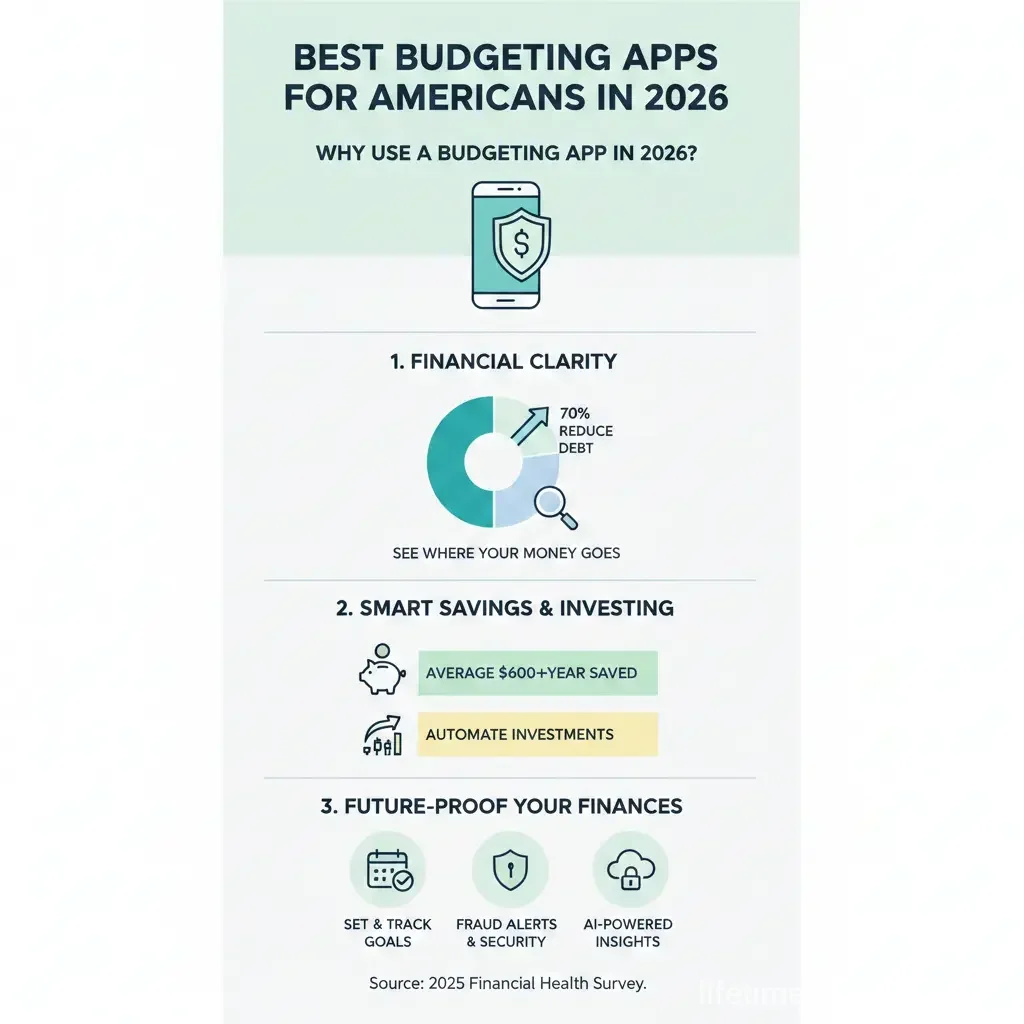
Why Use a Budgeting App in 2026?
With the average American household carrying $104,000 in debt and facing higher grocery and housing costs, budgeting apps provide clarity. They automatically categorize transactions from your Chase, Wells Fargo, or Capital One accounts, forecast cash flow around payday, and alert you to overspending—helping you qualify for better mortgage rates or boost your FICO score over time.
Key benefits include:
- Real-time tracking: See exactly where your money goes, from Amazon subscriptions to gas at $3.50/gallon.
- Goal setting: Automate savings for emergencies (aim for 3-6 months' expenses) or high-yield accounts at 5% APY.
- Couple-friendly sharing: Sync with partners to cut money fights—56% of couples argue about finances most.
- Debt payoff tools: Plans aligned with strategies like debt snowball for credit card APRs averaging 21%.
Most apps comply with U.S. privacy laws like CCPA and use bank-level encryption, so your Social Security-linked accounts stay safe.
Top Budgeting Apps for Americans in 2026
Our selections balance free tiers, premium features, and ratings from App Store (iOS) and Google Play (Android). Costs reflect 2026 pricing; many offer 14-34 day trials.
1. You Need A Budget (YNAB) – Best for Zero-Based Budgeting
YNAB shines for hands-on users who want every dollar assigned a job—ideal if you're tackling debt or prepping for tax season. It teaches proactive budgeting with workshops and a community forum.
- Cost: $109/year (4.8/5 App Store, 4.6/5 Google Play).
- Standout features: Rollovers unused funds, debt payoff simulator, custom categories for 401(k) or IRA contributions.
- Best for: Beginners building habits; integrates with U.S. banks for auto-imports.
Users report paying off $6,000 in debt on average in the first year—perfect for high-interest loans.
2. Monarch Money – Best Overall for Comprehensive Tracking
Monarch consolidates accounts, investments, and goals into one dashboard, offering net worth tracking and partner collaboration—great for families planning Medicare or college funds.
- Cost: $99/year (4.9/5 App Store, 4.7/5 Google Play).
- Standout features: Customizable budgets, spending forecasts, unlimited collaborators, subscription tracker.
- Best for: Couples or investors monitoring Vanguard or Fidelity portfolios alongside daily spend.
It supports flexible or traditional budgeting, with bill balances visible to dodge overdrafts.
3. PocketGuard – Best for Bill Management and "In My Pocket" Spending
PocketGuard calculates your safe-to-spend amount after bills and goals, preventing surprises like utility spikes or auto-renewals.
- Cost: $74.99/year (4.6/5 App Store, 4.2/5 Google Play).
- Standout features: Debt payoff plans, custom categories, rollover budgets (new in 2026), household sharing.
- Best for: Those with irregular income, like gig workers on Uber or DoorDash.
Free tier covers basics; Plus adds unlimited goals for Roth IRA savings.
4. Goodbudget – Best Free Envelope-Style Option
Goodbudget uses digital envelopes to allocate cash before spending—simple for shared family budgets without bank logins if preferred.
- Cost: Free; $80/year premium (4.6/5 App Store, 3.3/5 Google Play).
- Standout features: Multi-device sync, unlimited envelopes on premium, no ads on paid.
- Best for: Couples or beginners avoiding complex setups; aligns with Dave Ramsey's envelope method.
5. Copilot Money – Best for Sleek Design and AI Insights
Copilot's modern interface uses machine learning for auto-categorization and visuals—iOS/Mac focused, with Android/web coming soon.
- Cost: Around $95/year (high ratings on iOS).
- Standout features: Envelope budgeting with rollovers, cash flow dashboard, recurring expense graphs.
- Best for: Apple users wanting intuitive charts for trends like rising rent.
Other Strong Contenders
- EveryDollar: Free zero-based tool from Ramsey Solutions; premium adds bank sync ($79.99/year).
- Quicken Simplifi: Clean UI with spending plans and LifeHub for docs ($3.99/month).
- Rocket Money: Bill negotiation and cancellation ($4-12/month).
- Empower: Free for investors tracking net worth.
How to Choose the Best Budgeting App for Your Needs
For Beginners or Simple Tracking
Start with EveryDollar or Goodbudget—low learning curve, focus on awareness.
For Couples and Families
HoneyDue or Monarch for shared visibility; reduces arguments by syncing transactions.
For Debt Payoff and Goals
YNAB or PocketGuard with simulators tailored to U.S. credit card rates.
Compare top apps:
| App | Annual Cost | App Store Rating | Best For |
|---|---|---|---|
| YNAB | $109 | 4.8/5 | Zero-based |
| Monarch | $99 | 4.9/5 | Comprehensive |
| PocketGuard | $74.99 | 4.6/5 | Bill tracking |
| Goodbudget | Free/$80 | 4.6/5 | Envelopes |
| Copilot | ~$95 | High (iOS) | Design/AI |
Practical Tips to Get Started
- Link accounts securely: Use Plaid for U.S. banks; review permissions.
- Set realistic categories: Include IRS withholding, student loans, or Medicaid copays.
- Review weekly: Adjust for variables like gas prices or holiday spending.
- Combine with tools: Pair with Credit Karma for FICO monitoring or USA.gov's savings calculator.
- Test trials: Most offer 14-34 days free—track one month before committing.
"Budgeting apps turn vague good intentions into concrete plans, helping Americans build wealth one tracked dollar at a time." — Experian Review
Take Control of Your Finances Today
Pick one app—start with YNAB or Monarch for most Americans—and commit to 30 days. Track progress toward $1,000 emergency funds or debt freedom, and watch your financial stress drop. Download from the App Store or Google Play, link your accounts, and build habits that last. Your future self (and FICO score) will thank you.
Frequently Asked Questions
Sources & References
-
1
Best Budgeting Apps of 2026 - Experian — www.experian.com
-
2
5 Best Budgeting Apps For Beginners (Pay Off More Debt in 2026!) - Frugal Friends Podcast — www.frugalfriendspodcast.com
-
3
The Best Budgeting Apps Based on Your Financial Goals - Community America — www.communityamerica.com
-
4
Best Budgeting Apps of 2026 - YouTube — www.youtube.com
-
5
The best budgeting apps for 2026 - Engadget — www.engadget.com
-
6
Seven of the Best Budgeting Apps for 2026 - Kiplinger — www.kiplinger.com
Related Articles
How to Build a 6-Month Emergency Fund on a Minimum Wage
Building a six-month emergency fund on minimum wage might feel impossible, but it's more achievable than you think. With the right strategy and consistent effort, you can create a financial safety net...

The Best "Financial Literacy" Books Every American Should Read in 2026
Imagine standing at the edge of financial freedom, armed with knowledge that turns everyday dollars into lifelong security. In 2026, with inflation hovering around 2.5% and retirement accounts like 40...
How to Avoid "Lifestyle Creep" After a 2026 Promotion
Picture this: You've just landed that well-deserved promotion in 2026, your salary jumps by 20% or more, and suddenly you're eyeing a sleeker car, fancier dinners out, or that home upgrade you've alwa...
The Best Cashback Apps for Grocery Shopping in 2026
Imagine slashing your grocery bill by hundreds of dollars each year without clipping coupons or hunting for sales. In 2026, cashback apps make it simple for Americans to earn real money back on everyd...