What Is a W-2 Form and How Do You Read It?

Every January, millions of Americans receive a piece of paper that holds the key to their tax filing—the W-2 form. Whether you're a first-time worker or a seasoned employee, understanding what your W-...
The Lifetimes America editorial team curates, fact-checks, and updates guides on personal finance, property, health, immigration, legal, business, and lifestyle topics relevant to Lifetimes America readers. Articles are produced with AI assistance and reviewed by the editorial team before publication.
Every January, millions of Americans receive a piece of paper that holds the key to their tax filing—the W-2 form. Whether you're a first-time worker or a seasoned employee, understanding what your W-2 contains and how to read it can save you time, money, and headaches during tax season. This guide walks you through everything you need to know about this essential tax document.
What Is a W-2 Form?
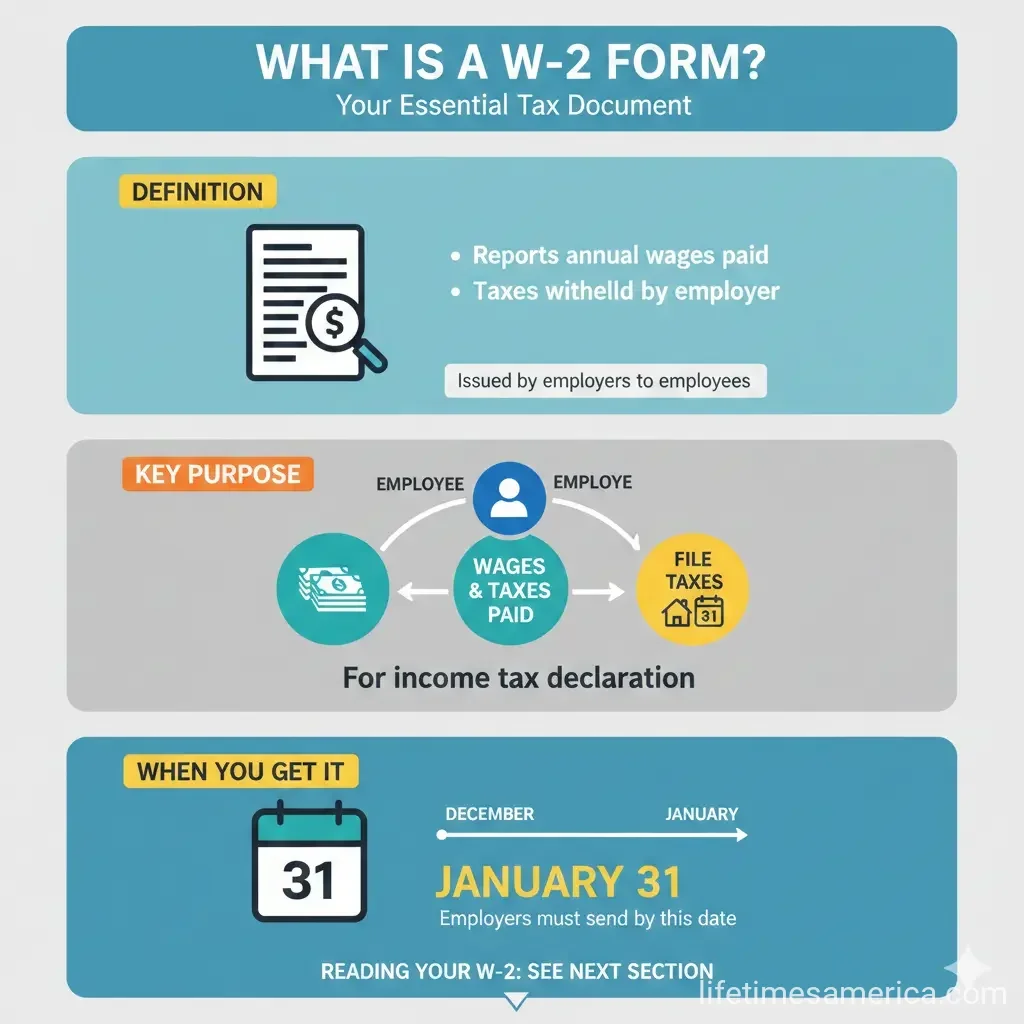
A W-2 form is an IRS tax document that employers must file annually to report wages paid to employees and the taxes withheld from those wages. Your employer sends you a copy, and they also submit copies to the Social Security Administration (SSA) and the IRS. You'll use your W-2 to file your federal and state income tax returns.
If you earned at least $600 from an employer during the year, you should receive a W-2. The form reports how much you earned during the tax year, how much in taxes your employer withheld, and other wage-related information the IRS requires.
Important note: If you're a freelancer or independent contractor, you won't receive a W-2. Instead, your clients will send you a 1099 form.
When Do You Get Your W-2?
Employers must send employee copies of the W-2 by January 31. This deadline gives you time to gather your tax documents before filing your return. If you don't receive your W-2 by early February, contact your employer's payroll department to follow up.
Why the W-2 Matters
The W-2 serves several critical purposes:
- It gives the IRS, state tax agencies, and you accurate information about your annual taxable wages and tax withholdings
- It helps government agencies verify your payroll taxes and Social Security earnings
- It provides the foundation for calculating your tax liability when you file your return
- It documents employer contributions to retirement plans, health insurance, and other benefits
How to Read Your W-2: Breaking Down Each Box
Your W-2 contains multiple boxes, each reporting different income and tax information. Here's what each key box means:
Box 1: Wages, Tips, and Other Compensation
This box shows your total taxable wages for the year. It includes your salary, hourly wages, bonuses, and other compensation your employer paid you. This is the number you'll use to calculate your federal income tax liability.
Box 2: Federal Income Tax Withheld
This shows how much federal income tax your employer withheld from your paychecks throughout the year. The amount depends on the information you provided on your Form W-4 when you started your job. You'll use this number on Line 25a of your Form 1040 when you file your tax return.
If Box 2 is empty, it means either you claimed exempt on your withholding or your calculated withholding elections exceeded your salary.
Box 3: Social Security Wages
This shows how much of your pay in Box 1 was subject to Social Security tax. There's a maximum amount of income subject to Social Security tax each year. For 2025, the maximum is $176,100, and for 2026, it's $184,500.
Box 4: Social Security Tax Withheld
This displays the Social Security tax your employer withheld from your pay. The standard Social Security tax rate is 6.2% of your wages.
Box 5: Medicare Wages and Tips
Similar to Box 3, this shows the portion of your income subject to Medicare tax. Unlike Social Security, there's no income limit for Medicare tax.
Box 6: Medicare Tax Withheld
This shows the Medicare tax withheld from your paychecks. The standard Medicare tax rate is 1.45% of your wages.
Box 11: Nonqualified Plans
This box shows distributions from your employer's deferred compensation plan during the year, which can include pensions, IRAs, and 401(k)s.
Boxes 15–20: State and Local Information
These boxes contain your state wages, state income tax withheld, locality names, and local tax amounts. You'll use this information if you file state or local income tax returns.
What's New on the 2026 W-2?
The IRS finalized significant changes to the W-2 form for the 2026 tax year, reflecting new provisions under the One Big Beautiful Bill Act (OBBBA). Here's what changed:
New Box 12 Codes for Tips and Overtime
For the first time, the 2026 W-2 includes separate reporting for qualified tips and qualified overtime compensation. Three new Box 12 codes now appear:
- TA – Employer contributions to a Trump account contribution program
- TP – Total amount of qualified tips reported to the employer
- TT – Total amount of qualified overtime compensation
These codes formalize information that previously either wasn't reported separately or was provided informally. If you're eligible for deductions related to tips or overtime, you'll use these amounts when filing your 2026 tax return.
Why This Matters for Your 2026 Taxes
The OBBBA introduced new above-the-line deductions for qualified tips and qualified overtime compensation. This means eligible employees can deduct these amounts directly, potentially lowering their taxable income. You'll claim these deductions on Schedule 1-A (Additional Deductions) of Form 1040 when you file your 2026 return.
2025 Was a Transition Year
If you received a 2025 W-2, it didn't include these new boxes or codes. The IRS provided a transition year to give employers and payroll providers time to update their systems. The redesigned form applies starting with 2026 wages.
W-2 vs. W-4: What's the Difference?
Many people confuse these two forms because they both relate to taxes and withholding. Here's the key difference:
- W-4: You complete this form when you start a job to tell your employer how much federal income tax to withhold from your paychecks. You can update it anytime your situation changes.
- W-2: Your employer sends this form by January 31 to summarize the income you earned and taxes withheld during the previous year. You use it to file your tax return.
In short: the W-4 is about withholding going forward, while the W-2 is a record of what already happened.
How to Use Your W-2 When Filing Your Taxes
When you're ready to file your federal return, your W-2 provides essential information:
- Report your income: Enter the amount from Box 1 on your Form 1040
- Report taxes already paid: Use Box 2 (federal withholding) on Line 25a of Form 1040
- Claim deductions: If you're eligible for the new tip or overtime deductions, use the amounts from Box 12 codes TP and TT
- File state taxes: Use the information in Boxes 15–20 if you file state or local income tax returns
Having your W-2 in front of you makes the filing process faster and more accurate, whether you're using tax software or working with a tax professional.
Next Steps
Once you have your W-2 in hand, you're ready to tackle tax season. Review each box carefully to ensure the information matches your records. If you're claiming the new tip or overtime deductions for 2026, make note of those amounts. Consider whether you need to adjust your W-4 for the upcoming year based on whether you had too much or too little tax withheld.
If you're unsure about any part of your W-2 or how it affects your tax return, don't hesitate to reach out to a tax professional or contact the IRS for guidance. Understanding your W-2 is the first step toward filing an accurate return and getting the refund you deserve.
Frequently Asked Questions
Sources & References
-
1
What's a W-2 Form? Responsibilities, Deadlines, & How to File — www.paycor.com
-
2
What Is a W-2 Form? Definition, How to Read It — www.nerdwallet.com
-
3
About IRS Form W-2 — finance.uw.edu
-
4
About Form W-2, Wage and Tax Statement — www.irs.gov
-
5
IRS Draft 2026 Form W-2: What Employers Need to Know — www.bonadio.com
- 6
-
7
2026 Form W-2 Updates Tax Pros Should Understand Now — www.natptax.com
-
8
General Instructions for Forms W-2 and W-3 (2026) — www.irs.gov
Related Articles

How to Avoid the "Marriage Penalty" in the 2026 US Tax Code
Imagine tying the knot and then discovering your tax bill just skyrocketed—thousands of dollars higher than if you'd stayed single. That's the harsh reality of the marriage penalty in the US tax code,...

The Best "Side-Hustle" Tax Software for 2026 Filers
Running a side hustle in 2026 means juggling gigs like Uber driving, freelance graphic design, or selling handmade crafts on Etsy while keeping your day job. But come tax time, tracking those 1099-NEC...

How to Use "Tax-Loss Harvesting" to Offset Your 2026 Stock Gains
Imagine locking in hefty stock gains in 2026 only to watch a big chunk vanish to capital gains taxes. What if you could slash that tax bill without derailing your investment strategy? That's the power...

The Gig Economy Tax Guide: How to Deduct Your Car; Internet; and Office
If you're earning money through gig work—whether you're driving for a rideshare company, freelancing, delivering groceries, or running a side hustle—you're probably wondering how to keep more of what...