How to Create a Monthly Budget That Actually Works

Ever feel like your paycheck vanishes before you can blink? You're not alone—millions of Americans struggle to make their money last the month. But here's the good news: creating a monthly budget that...
The Lifetimes America editorial team curates, fact-checks, and updates guides on personal finance, property, health, immigration, legal, business, and lifestyle topics relevant to Lifetimes America readers. Articles are produced with AI assistance and reviewed by the editorial team before publication.
Ever feel like your paycheck vanishes before you can blink? You're not alone—millions of Americans struggle to make their money last the month. But here's the good news: creating a monthly budget that actually works can change that, helping you pay bills on time, build savings, and even enjoy guilt-free spending.
In 2026, with inflation still a factor and everyday costs like groceries and gas adding up, a solid budget is your financial roadmap. This guide walks you through step-by-step how to create one tailored to your life, using free tools and proven strategies. Whether you're juggling a 9-to-5, side hustles, or family expenses, you'll finish with actionable tips to take control today.
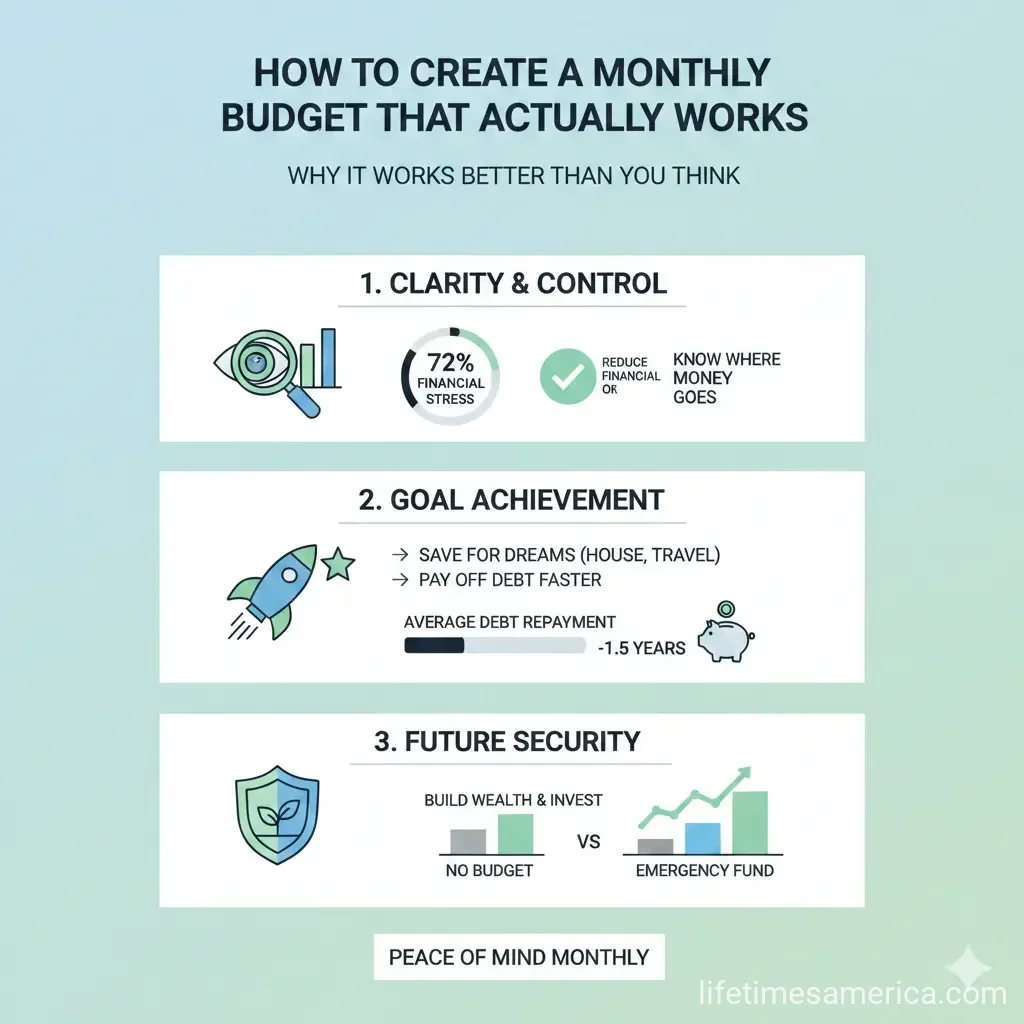
Why a Monthly Budget Works Better Than You Think
Budgets aren't about restriction—they're about empowerment. A well-crafted monthly budget aligns your spending with your goals, like saving for a home down payment or tackling credit card debt. According to financial experts, tracking income and expenses monthly prevents overspending by up to 20%.
For Americans, this means covering essentials like rent (averaging $1,800 in major cities), student loans (totaling $1.7 trillion nationwide), and building an emergency fund for unexpected hits like car repairs. Unlike vague yearly plans, monthly budgets let you adjust quickly to real-life changes, such as a utility bill spike or bonus paycheck.
The 50/30/20 Rule: A Simple Starting Point
Popularized by experts like Elizabeth Warren, the 50/30/20 rule divides your after-tax income: 50% for needs (housing, food, utilities), 30% for wants (dining out, entertainment), and 20% for savings and debt payoff. It's flexible for U.S. households earning the median $74,580 annually.
- Needs (50%): Rent/mortgage, groceries, insurance, minimum debt payments.
- Wants (30%): Subscriptions, hobbies, coffee runs.
- Savings/Debt (20%): 401(k) contributions, emergency fund, extra loan payments.
Adjust based on your situation—if you're in a high-cost area like California, aim to trim wants to boost savings.
Step 1: Calculate Your Total Monthly Income
Start with accuracy. List all income sources after taxes—your take-home pay is what counts.
- Gather pay stubs: For salaried workers, divide annual salary by 12. Hourly? Use average hours times rate. Include side gigs like Uber or freelance work.
- Add irregular income: Bonuses, child support, or rental income—average over 3 months.
- Account for taxes: Use the IRS withholding estimator at irs.gov to verify your W-4 settings for 2026 rates.
Example: If you earn $5,000 gross monthly but taxes take 22%, your net is $3,900. Add $400 from DoorDash for $4,300 total.
Free Tools to Track Income
Google Sheets' native monthly budget template auto-calculates income totals from your entries. Or try Tiller's free templates that pull bank data automatically (subscription for full features).
Step 2: Track and Categorize Your Expenses
Review the last 3 months' bank and credit card statements. Categorize every dollar spent.
- Fixed expenses: Rent ($1,500), car payment ($350), Netflix ($15.99)—predictable monthly costs.
- Variable expenses: Groceries ($450), gas ($150), eating out ($200)—these fluctuate.
- Irregular/one-off: Annual insurance premiums—divide by 12 ($200/year = $16.67/month).
- Debt and savings: Credit cards, student loans (average $400/month per borrower), 401(k).
Don't forget "hidden" costs like ATM fees or app subscriptions. Consumer.gov's free worksheet helps list them all.
U.S.-Specific Expenses to Watch
Factor in Medicare premiums if eligible (Part B at $185.70/month in 2026), property taxes, or state sales tax variations (e.g., 8.5% average). Use NerdWallet's free planner to see how your spending stacks against the 50/30/20 benchmark.
Step 3: Choose the Right Budgeting Method for You
Pick a system that fits your lifestyle. Here's a comparison:
| Method | Best For | Pros | Cons |
|---|---|---|---|
| Zero-Based Budgeting | Debt payoff | Every dollar assigned; no money left unaccounted | Requires daily tracking |
| Envelope System (Digital) | Families | Prevents overspending on categories | Less flexible |
| 50/30/20 | Beginners | Simple percentages | May not fit high-cost areas |
Zero-based works great for Americans with high debt loads—assign 100% of income to categories until you hit zero.
Step 4: Build Your Budget in a Free Template
Skip reinventing the wheel. Download these 2026-ready tools:
- Google Sheets Monthly Budget: Customizable dashboard for income/expenses.
- Microsoft Excel Templates: Track monthly spending with auto-formulas.
- NerdWallet's Free Spreadsheet: Aligns with 50/30/20 and totals automatically.
- Etsy 2026 Bundles: Annual/monthly trackers with debt snowball calculators ($2.92+).
Quick Setup Guide
- Download and open in Google Sheets or Excel.
- Input income in the top row.
- List categories and budgeted amounts.
- Enter actuals daily/weekly—watch variances highlight automatically.
- Review monthly: Adjust for next period.
For automation, Tiller imports transactions from 21,000+ U.S. banks.
Step 5: Automate and Stick to It
Make it effortless:
- Set up auto-transfers to savings via your bank's app (aim for 3-6 months' expenses).
- Use apps like Mint or YNAB for real-time alerts.
- Review weekly Sundays—celebrate wins like under-budget groceries.
- Build in fun: 10% "blow money" for impulse buys.
Track net worth quarterly: Assets minus liabilities. Templates include this.
Handle Common Pitfalls
Lifestyle creep? Cap wants at 25%. Job loss? Slash variables first, tap emergency fund last. IRS offers free tax prep tools to free up cash.
Advanced Tips for Long-Term Success
Incorporate sinking funds for big 2026 expenses like back-to-school or holidays—save $50/month now for December gifts. Debt snowball: Pay smallest balances first for momentum.
For families, budget Medicaid copays or 529 college savings. Self-employed? Set aside 30% for quarterly IRS taxes.
Your Next Steps to Financial Freedom
Grab a free template today, input last month's data, and build your first budget in 30 minutes. Track for one month, then tweak. You'll see money left over—proof it works. Share your wins in the comments, and check irs.gov for tax-saving tips. You've got this—start now and watch your future brighten.
Frequently Asked Questions
Sources & References
-
1
2026 Budget Planner Spreadsheet Bundle - Etsy — www.etsy.com
- 2
-
3
Sample business budget templates for 2026 - QuickBooks — quickbooks.intuit.com
-
4
Make a Budget Worksheet - Consumer.gov — consumer.gov
-
5
Free Budget Template - NerdWallet — www.nerdwallet.com
-
6
Free Budget Templates - Microsoft Excel — excel.cloud.microsoft
Related Articles
How to Build a 6-Month Emergency Fund on a Minimum Wage
Building a six-month emergency fund on minimum wage might feel impossible, but it's more achievable than you think. With the right strategy and consistent effort, you can create a financial safety net...

The Best "Financial Literacy" Books Every American Should Read in 2026
Imagine standing at the edge of financial freedom, armed with knowledge that turns everyday dollars into lifelong security. In 2026, with inflation hovering around 2.5% and retirement accounts like 40...

How to Avoid "Lifestyle Creep" After a 2026 Promotion
Picture this: You've just landed that well-deserved promotion in 2026, your salary jumps by 20% or more, and suddenly you're eyeing a sleeker car, fancier dinners out, or that home upgrade you've alwa...
The Best Cashback Apps for Grocery Shopping in 2026
Imagine slashing your grocery bill by hundreds of dollars each year without clipping coupons or hunting for sales. In 2026, cashback apps make it simple for Americans to earn real money back on everyd...